
AI Automation Setup Guide for Business Productivity
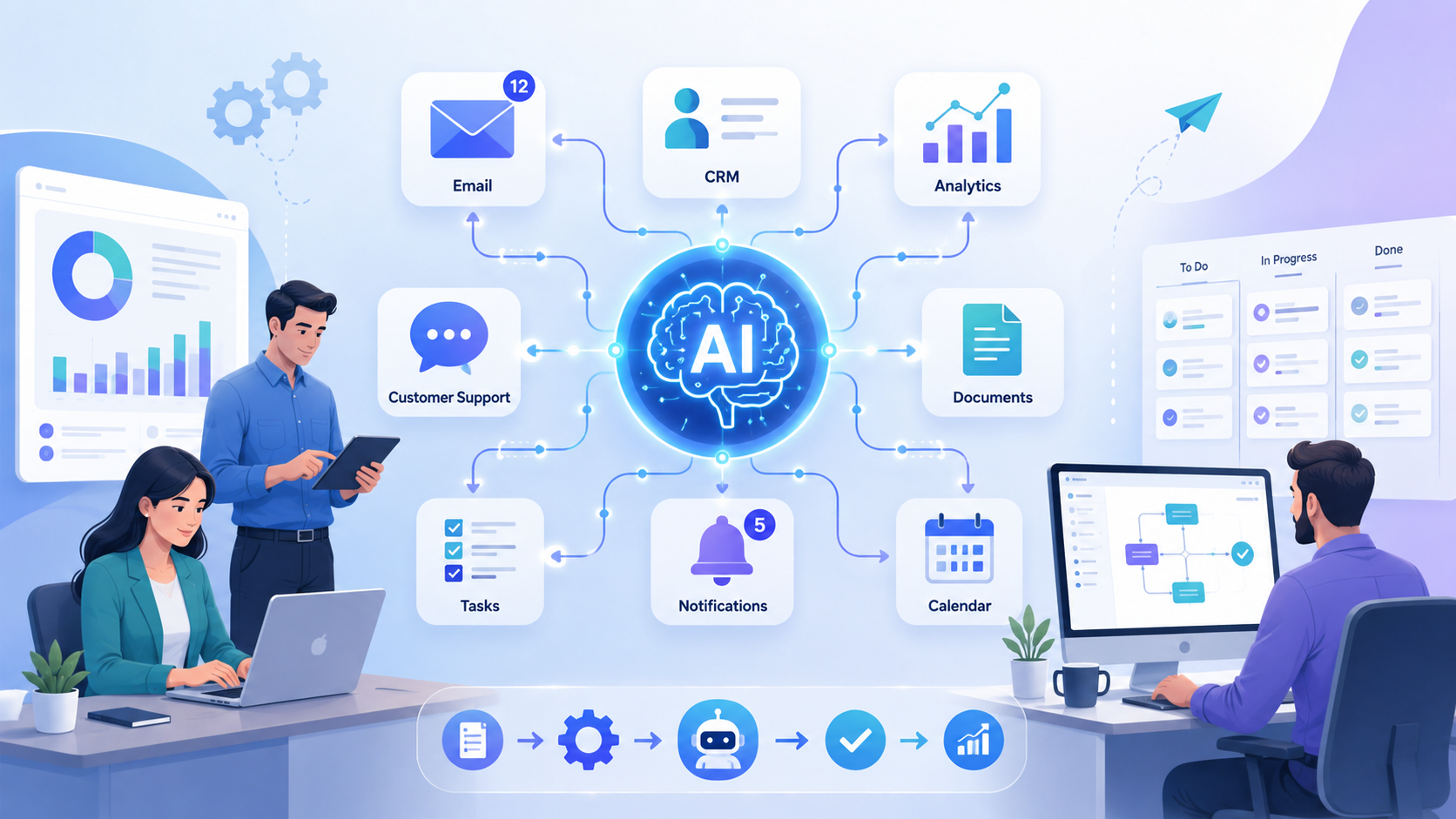
AI automation setup helps businesses save time, reduce repetitive tasks, and improve daily productivity by connecting AI tools with simple workflows. Instead of manually handling emails, reports, customer messages, CRM updates, and internal tasks, teams can use AI to automate routine processes and focus on higher-value work.
Today, AI is no longer only useful for large tech companies. Startups, small businesses, agencies, and growing teams can all use AI tools to improve how they work. The key is not to automate everything at once, but to identify the right tasks, connect the right tools, and build workflows that support real business goals.
A well-planned AI automation system can help teams work faster, reduce errors, improve communication, and scale operations without adding unnecessary complexity.
What Is AI Automation Setup?
AI automation setup is the process of combining artificial intelligence tools with automated workflows to complete repetitive or time-consuming tasks with less manual effort.
Traditional automation usually follows fixed rules. For example, when a form is submitted, the system sends an email or updates a spreadsheet. AI adds another layer of intelligence by helping the workflow understand, summarize, classify, generate, or analyze information.
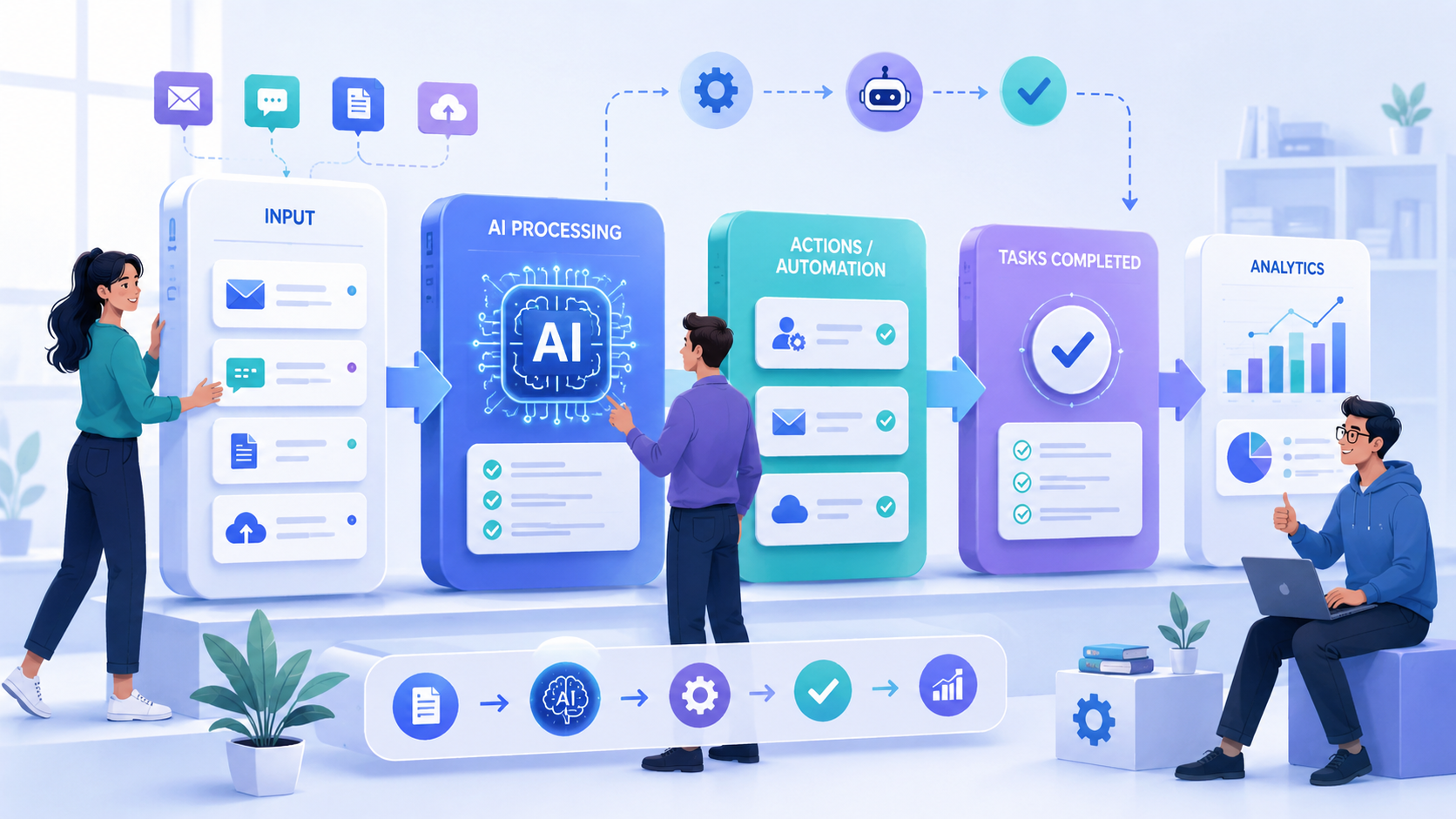
For example, a basic automation can send a notification when a new customer inquiry arrives. An AI-powered workflow can go further by reading the message, identifying the topic, summarizing the request, assigning a priority level, and suggesting a reply for the support team.
This makes automation more flexible and useful for daily business operations.
Why AI Automation Setup Matters for Modern Businesses
Many teams spend too much time on small tasks that repeat every day. These tasks may look simple, but they can quickly consume hours each week.
Common examples include copying data between platforms, writing similar emails, updating CRM records, summarizing meetings, organizing documents, preparing reports, and assigning internal tasks.
A practical AI automation setup helps reduce this manual workload. It allows employees to spend less time on repetitive admin work and more time on strategy, sales, customer experience, product improvement, and creative thinking.
For growing businesses, this is especially valuable. Teams can handle more work without immediately increasing headcount. They can also create more consistent internal processes, which reduces confusion and improves operational efficiency.
AI should not be seen as a replacement for people. The best use of AI is to support people by removing repetitive work and giving teams better information faster.
Practical AI Productivity Tips for Teams
Businesses do not need a complex system to start using AI effectively. In many cases, small improvements can create meaningful productivity gains.
Use AI to Draft Routine Emails
Many teams write the same types of emails every week. These may include client updates, follow-up messages, internal announcements, meeting summaries, or proposal introductions.
AI can help generate the first draft, saving time and reducing writing fatigue. The team can then review, edit, and personalize the message before sending it.
This is useful for sales teams, account managers, project managers, recruiters, and customer support teams.
Summarize Meetings Automatically
Meetings often create useful discussions, but action items can easily get lost. AI meeting tools can help by creating summaries, listing key decisions, and identifying next steps.
This reduces manual note-taking and helps everyone stay aligned after the meeting.
For remote teams, this is especially useful because team members can quickly review what happened without watching the full recording.
Build a Prompt Library
A prompt library is a collection of reusable AI instructions that your team can use again and again.
For example, you can create prompts for writing customer support replies, summarizing reports, analyzing feedback, creating social media captions, or drafting proposal sections.
This makes AI usage more consistent across the team. Instead of every person writing prompts from scratch, the team can reuse tested prompts that already produce good results.
Use AI to Summarize Documents
Long documents can slow down decision-making. AI can help summarize reports, proposals, meeting notes, contracts, customer feedback, and internal documents.
This allows team members to understand the key points faster before reading the full document in detail.
However, for legal, financial, or sensitive documents, AI summaries should always be reviewed by a qualified person.
Automate Data Entry and Updates
Manual data entry is one of the easiest areas to improve with automation. AI and workflow tools can help extract information from forms, emails, documents, and spreadsheets.
For example, when a lead fills out a contact form, the workflow can automatically add the lead to the CRM, assign a salesperson, send a confirmation email, and create a follow-up reminder.
This type of workflow saves time and reduces the risk of missing important details.
How to Start Your First AI Automation Setup
Setting up automation does not need to be complicated. The best approach is to start small, test carefully, and improve the workflow over time.
Step 1: Choose a Repetitive Workflow
Before building any AI automation setup, identify a process that happens often and follows a similar pattern.
Good examples include:
- New lead follow-up
- Customer support ticket routing
- Weekly report creation
- Internal approval requests
- Meeting summary sharing
- CRM record updates
Avoid starting with a large, unclear process. A simple workflow is easier to test and improve.
Step 2: Define the Trigger
Every automation starts with a trigger. The trigger is the event that begins the workflow.
For example:
- A new form is submitted
- A new email arrives
- A customer opens a support ticket
- A task status changes
- A new file is uploaded
- A new CRM record is created
Choosing the right trigger is important because it determines when the automation should run.
Step 3: Decide the Actions
After the trigger, define what should happen next.
For example, when a new lead submits a form, the workflow might:
- Add the lead to the CRM
- Send a welcome email
- Notify the sales team
- Create a follow-up task
- Use AI to summarize the lead request
- Score the lead based on selected criteria
This turns a manual process into a structured workflow.
Step 4: Add AI Where It Creates Value
AI should not be added just because it sounds modern. It should solve a specific problem.
AI is useful when the workflow needs to process language, summarize content, classify information, generate text, analyze patterns, or make recommendations.
For example, AI can help:
- Summarize customer inquiries
- Classify support tickets
- Draft email replies
- Analyze customer feedback
- Score leads
- Extract key details from documents
A successful AI automation setup uses AI only where it improves the workflow.
Step 5: Keep Human Review for Important Decisions
Not every workflow should be fully automated. Human review is important when the task involves customer communication, legal content, financial decisions, sensitive data, or high-value business actions.
For example, AI can draft a customer email, but a team member should review it before sending. AI can summarize a contract, but a legal professional should check the final interpretation.
The best automation systems combine AI speed with human judgment.
Common AI Automation Setup Examples for Businesses
AI automation can support many business departments. The best use case depends on the team’s daily workflow and business goals.
Sales Automation
Sales teams can use AI automation to improve lead management and follow-up speed.
A workflow can automatically collect new leads, update CRM records, research company information, score lead quality, and create personalized follow-up drafts.
This helps sales teams respond faster and spend more time on qualified opportunities.
Customer Support Automation
Customer support teams can use AI to reduce response time and improve ticket organization.
AI can summarize incoming tickets, detect the topic, assign priority, suggest replies, and route the issue to the right team member.
This does not remove the need for support agents. Instead, it helps them respond faster and with more context.
Marketing Automation
Marketing teams can use AI to support content planning, campaign analysis, keyword research, and social media drafts.
For example, AI can help generate content ideas, summarize campaign results, group customer segments, and prepare first drafts for newsletters or posts.
This helps marketing teams move faster while keeping human creativity in control.
Operations Automation
Operations teams can benefit from automated reporting, approval workflows, internal notifications, and document processing.
For example, a weekly report workflow can collect data from different sources, summarize key changes, and send the report to the right team automatically.
This improves consistency and reduces manual coordination.
HR and Recruitment Automation
HR teams can use AI automation to organize candidate information, summarize resumes, draft interview notes, send reminders, and manage onboarding tasks.
This helps reduce repetitive admin work and creates a smoother experience for candidates and new employees.
Common AI Automation Setup Mistakes to Avoid
AI automation can create strong business value, but only when it is planned carefully. Many projects fail because companies try to automate too much too quickly.
Automating a Broken Process
Automation should improve a workflow, not hide a bad process.
If a process is unclear, inconsistent, or poorly managed, automation may simply make the problem happen faster. Before automating, teams should review the process and remove unnecessary steps.
Starting Too Big
A complex automation project can become difficult to manage. It is better to start with one clear use case, test the workflow, and expand gradually.
For example, instead of automating the entire sales process, start with lead capture and follow-up reminders.
Ignoring Data Quality
AI depends on the quality of the information it receives. If the data is outdated, incomplete, or inconsistent, the output may also be unreliable.
Before building workflows, businesses should organize important data sources and make sure the information is easy to access.
No Human Oversight
AI can make mistakes. It may misunderstand context, generate inaccurate text, or miss important details.
For this reason, businesses should include human review in workflows that involve customers, payments, contracts, legal documents, or sensitive information.
Not Measuring Results
Every automation should have a clear success metric.
Useful metrics include time saved, response speed, error reduction, lead conversion rate, customer satisfaction, and manual task reduction.
Without measurement, it is difficult to know whether the automation is actually improving the business.
Recommended Stack for Your AI Automation Setup
The right tools depend on your business needs, but a basic automation stack usually includes several core components.
A simple AI automation setup may include an AI assistant for writing and analysis, a workflow automation platform, a CRM system, a spreadsheet or database, email tools, and a team communication platform.
For example, a small business might connect a website form, CRM, email platform, project management tool, and AI assistant. This allows the team to capture leads, organize information, send messages, and assign tasks automatically.
The goal is not to build the most advanced system from day one. The goal is to create a reliable workflow that saves time and solves a real business problem.
How to Know Which Tasks Should Be Automated
Not every task is worth automating. The best tasks for automation are repetitive, time-consuming, predictable, and easy to define.
A task may be a good fit for automation if it happens frequently, follows the same steps, uses clear input data, and does not require complex human judgment every time.
Tasks that require creativity, emotional intelligence, negotiation, legal judgment, or strategic decision-making should usually remain human-led, with AI used only as support.
The best AI automation setup improves team efficiency without removing important human control.
Final Thoughts
AI automation is no longer just a trend. It is becoming a practical way for businesses to work faster, reduce manual tasks, and create more consistent operations.
The most effective approach is to start with a clear business problem, choose one repetitive workflow, add AI only where it creates value, and keep human review for important decisions.
A strong AI automation setup does not need to be complicated. It needs to be useful, reliable, and aligned with how the team actually works.
For businesses that want to improve productivity, reduce inefficiency, and scale operations more effectively, AI automation is a smart place to start.
Contact Golden Sea Studios:
Website: goldenseastudios.com
Email: info@goldenseastudios.com
Social Media: @goldenseastudios (Twitter, Instagram, Facebook)
Telegram: @goldenseastudio
We are available online to assist you with any inquiries or collaborations. Reach out to us through these channels and let’s connect!
