
AI vs No-Code: Which Automation Should You Choose?
AI vs no-code is a common question for businesses that want to automate work but do not know which solution fits their workflow.
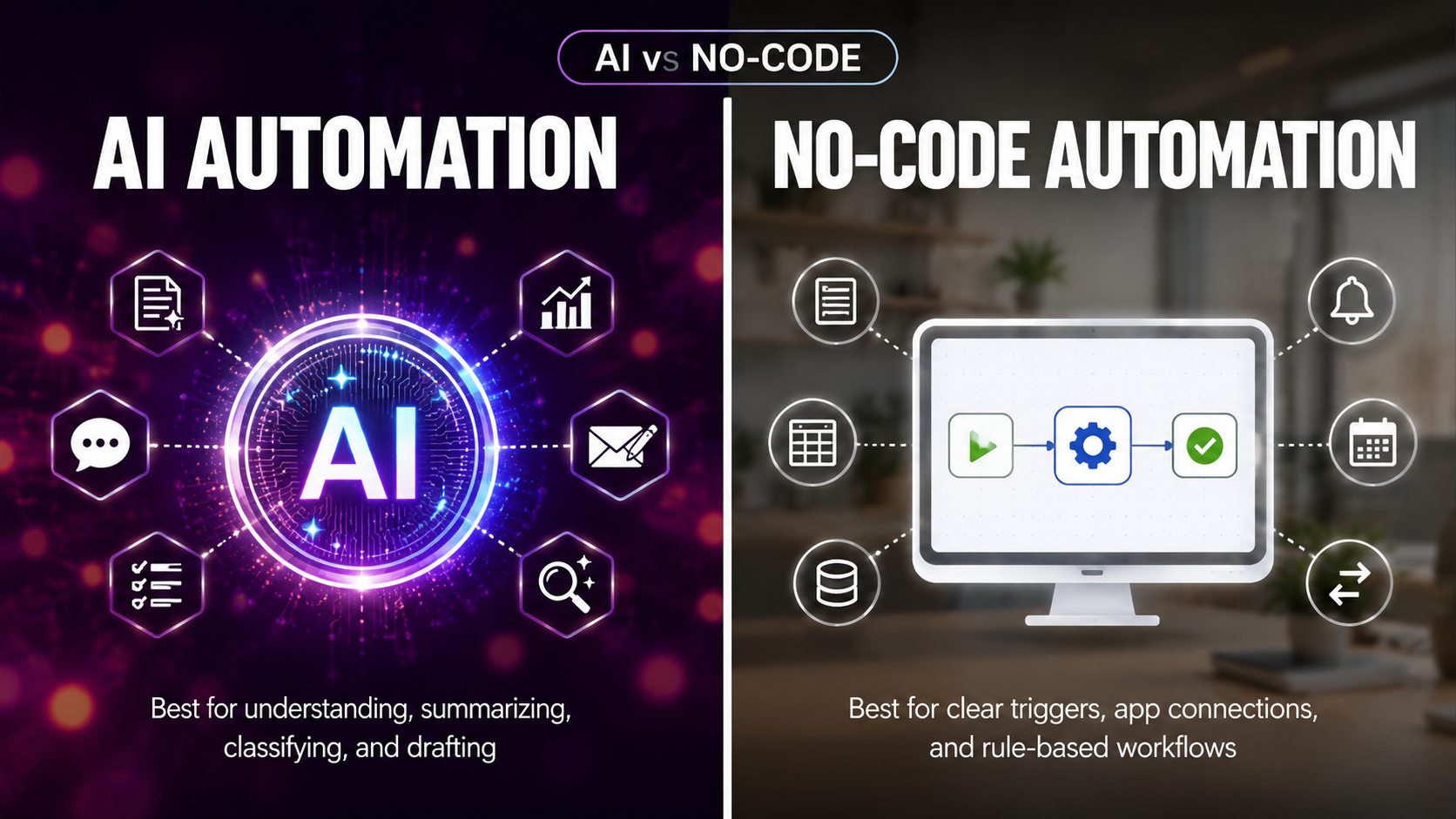
No-code automation is best for clear, rule-based tasks. AI automation is better when the workflow needs to understand text, summarize information, classify requests, extract data, or create personalized drafts.
For example, if you only need to send a Slack message after a form submission, no-code automation may be enough. However, if you need to read the form response, understand the customer’s problem, classify the request, and draft a personalized reply, AI automation is usually a better fit.
The AI vs no-code decision should always start with the workflow, not the tool.
Why AI vs No-Code Matters
Many businesses hear about tools like Zapier, Make, n8n, AI agents, ChatGPT, and workflow automation, but they are not always sure which one they need.
Because of this, teams sometimes choose the wrong solution.
A company may use AI for a workflow that only needs a simple rule. As a result, the system becomes more expensive and more complicated than necessary.
In another case, a team may try to use no-code automation for a workflow that needs language understanding. Then, the workflow breaks because the tool can move data but cannot understand what the data means.
A simple AI vs no-code comparison can help teams avoid overbuilding. Instead of choosing the trendiest tool, the better approach is to understand the workflow first and then choose the right stack.
What Is No-Code Automation?
No-code automation connects apps and actions without custom code.
Tools like Zapier, Make, and n8n let teams build workflows with triggers and actions. For example, one event in a tool can start an action in another tool.
A simple workflow may work like this:
First, a customer fills out a form.
Next, the system adds the response to Google Sheets.
After that, the team receives a Slack notification.
Finally, the customer gets a confirmation email.
This kind of setup works well because the process is predictable. The system does not need to understand meaning. It only needs to move information from one place to another.
Common No-Code Automation Examples
No-code automation is useful for many everyday business workflows.
For example, a sales team can automatically send new form leads to a CRM. An operations team can create a task in Trello or Asana when a new request arrives. A support team can send a notification when a high-priority form is submitted.
In addition, no-code tools can help with form submissions, CRM updates, Slack notifications, calendar events, email alerts, spreadsheet updates, invoice reminders, task creation, file storage, and simple approval flows.
These workflows usually follow clear rules.
If this happens, do that.
That is where no-code automation works best.
What Is AI Automation?
AI automation means using artificial intelligence to support or complete parts of a workflow that require understanding, writing, summarizing, classifying, extracting, or reasoning.
Unlike no-code automation, AI automation does more than move data. It helps interpret information.
For example, AI can read a customer support message and decide whether it is about billing, onboarding, product issues, or refunds. It can summarize a long meeting transcript into action items. It can extract important fields from a contract. It can also turn rough notes into a professional email.
Because of this, AI automation is useful when the input is messy or language-heavy.
Common AI Automation Examples
AI automation can help with customer support ticket classification, lead research summaries, personalized email drafting, meeting summaries, document extraction, proposal drafting, report generation, customer feedback analysis, content repurposing, internal knowledge assistants, AI chatbots, and soft decision support.
For example, a business may receive 100 customer messages per week. A no-code tool can move those messages into a spreadsheet, but AI can read the messages, summarize them, detect urgency, and suggest a reply.
As a result, the team gets more useful output instead of just moved data.
AI vs No-Code: The Main Difference
The simplest way to compare the two is this:
No-code automation moves information.
AI automation understands information.
No-code is better when the workflow follows fixed rules. AI is better when the workflow involves language, judgment support, or unstructured data.
| Category | No-Code Automation | AI Automation |
|---|---|---|
| Best For | Rule-based workflows | Language-heavy or messy workflows |
| Logic Type | If this happens, do that | Understand, classify, summarize, generate |
| Input | Structured data | Structured or unstructured data |
| Output | App action or data movement | Summary, draft, score, category, insight |
| Example | Add a form lead to CRM | Score and summarize the lead before outreach |
| Human Review | Sometimes needed | Often recommended |
| Tools | Zapier, Make, n8n | AI models, agents, APIs, automation tools |
In practice, many useful systems combine both.
No-code tools can move data between apps. AI can process and understand the data. Then, no-code tools can send the final output to the right place.
For most teams, the AI vs no-code choice depends on whether the task needs rules or understanding.
When Should You Use No-Code Automation?
You should use no-code automation when the workflow is simple, clear, and rule-based.
For example, no-code is a good fit when the trigger is clear, the action is predictable, the input data is structured, and the workflow does not need interpretation.
It also works well when the same steps happen every time, the risk is low, and the business only needs to connect tools.
A good example is a lead capture workflow.
Someone fills out a website form. The lead is added to the CRM. The team gets a Slack notification. Then, the lead receives a confirmation email.
This workflow does not require AI. It only needs automation between tools.
Best No-Code Automation Use Cases
No-code automation is usually enough for moving form responses to a CRM, sending Slack alerts, creating tasks from form submissions, updating spreadsheets, syncing contacts, sending reminder emails, creating calendar events, saving files to folders, notifying teams about status changes, and routing structured data between apps.
These are valuable workflows, but they are mostly mechanical.
If the process can be described as a simple rule, no-code automation is often the fastest and most cost-effective option.
When Should You Use AI Automation?
AI automation is useful when the workflow needs to understand or transform information.
For example, AI is a better fit when the input is messy, the workflow involves text or documents, the output needs summarization, or the task needs classification.
It is also useful when the team needs personalized drafts, the system must extract information, the workflow needs soft judgment, or the result should be reviewed by a person.
A good example is customer support triage.
A support message may be long, emotional, unclear, or mixed with several issues. A no-code tool can move the message, but it cannot understand the customer’s main problem. AI can summarize the message, classify the issue, detect urgency, and suggest a response.
That is where AI automation becomes valuable.
Best AI Automation Use Cases
AI automation is useful for lead research, email personalization, support ticket classification, document processing, meeting summaries, proposal drafting, report generation, customer feedback analysis, content repurposing, knowledge base search, AI chatbot workflows, and sales follow-up preparation.
These workflows are harder to manage with no-code tools alone because they involve meaning, not just data movement.
However, AI automation should still include human review when the output affects customers, money, legal topics, or important business decisions.
What About AI Agents?
AI agents are a more advanced form of AI automation.
An AI agent can follow a goal, use tools, process information, and prepare actions across multiple steps.
For example, an AI agent for business development may collect lead data, filter companies, score opportunities, create lead briefs, draft outreach emails, and prepare follow-up tasks.
This is more advanced than a single AI prompt.
However, an AI agent should not be treated as a magic employee. It still needs clear instructions, data sources, rules, review steps, and limits.
A strong AI agent workflow usually includes a clear goal, approved data sources, defined tools, scoring rules, output format, human review, safety limits, and success metrics.
Because of this, AI agents are useful when the workflow has multiple steps and the business wants a system that can assist with more than one action.
When Do You Need Custom Software?
Sometimes no-code automation and AI automation are not enough.
You may need custom software when the workflow becomes complex, high-volume, deeply integrated, or business-critical.
For example, a custom system works better when your team needs a dashboard, advanced permissions, internal database connections, or high reliability.
It also makes sense when the workflow becomes part of your core product, when the team needs custom user roles, or when no-code tools become too expensive or limited.
A small business can often start with no-code or AI automation. However, as the workflow grows, custom software can become easier to scale and maintain.
A Practical Decision Framework
To choose between no-code automation, AI automation, an AI agent, and custom software, start with the workflow.
Ask these questions:
Is the process rule-based?
Does the workflow involve messy text?
Does the system need to understand meaning?
Does the output need human review?
How often does the workflow run?
How much risk is involved?
What tools need to be connected?
Will this workflow become a core business system?
The answers will usually point to the right option.
Simple Comparison Table
The table below helps you choose the right option based on what the workflow needs.
| Need | Best Choice | Example |
|---|---|---|
| Move data between apps | No-code automation | Send form leads to CRM |
| Trigger simple actions | No-code automation | Notify Slack when a task is complete |
| Summarize or classify text | AI automation | Summarize support tickets |
| Draft personalized content | AI automation | Create sales follow-up emails |
| Run multi-step AI workflow | AI agent | Research, score, and draft lead outreach |
| Build a core internal system | Custom software | Operations dashboard with permissions |
| Scale a complex workflow | Custom software + AI | AI-powered CRM or reporting system |
This table is not a strict rule. However, it helps teams avoid overbuilding or underbuilding the solution.
Example 1: New Lead Notification
A company wants to receive a Slack message when someone fills out a website form.
This is a no-code automation use case.
The trigger is clear. The action is simple. Also, the workflow does not need AI.
A tool like Zapier, Make, or n8n can send the form data to Slack and add the lead to a CRM.
Example 2: Lead Qualification
Now imagine the same company wants to understand whether the new lead is a good fit.
The workflow needs to read the form response, understand the company’s need, classify the lead, and suggest the next step.
This is an AI automation use case.
No-code tools can still move the data, but AI is needed to analyze the information.
Example 3: Business Development Agent
If the company wants a system that researches the lead, scores it, drafts a personalized email, and creates a follow-up task, the workflow becomes closer to an AI agent.
The agent can support multiple steps, but the sales team should still review the final email before sending.
Example 4: Internal Operations Platform
If the company needs a full dashboard where teams can manage leads, approve messages, track workflows, and measure results, custom software may be needed.
In this case, the best stack may combine custom development, no-code integrations, and AI automation.
How to Choose the Right Stack
The right stack depends on your workflow maturity.
If your workflow is simple, start with no-code automation.
When the workflow involves text, summaries, or decisions, add AI automation.
If the process has multiple AI-powered steps, consider an AI agent.
After the workflow becomes central to your operations, custom software may be the better long-term solution.
This approach helps you avoid unnecessary complexity.
Instead of building a large system too early, you can start small and scale only when the workflow proves valuable.
Common Mistakes to Avoid
One common mistake is using AI when simple automation is enough. For example, you do not need AI to send a Slack notification after a form submission.
Another mistake is forcing no-code tools to handle tasks that require understanding. If the workflow needs to read, summarize, classify, or personalize information, AI may be necessary.
In addition, some teams build custom software too early. When the workflow is still untested, a simple no-code or AI-assisted MVP may be better.
Finally, do not skip human review. If the output affects customers, money, or important decisions, a person should still approve it.
How Golden Sea Can Help
Golden Sea can help you choose between no-code automation, AI automation, and custom development.
The process usually starts by reviewing your workflow. Then, the team can identify whether the task needs simple rule-based automation, AI-powered processing, an AI agent, or a custom software layer.
For example, Golden Sea can help with no-code workflow setup, AI automation design, AI agent MVPs, CRM integrations, internal dashboards, and custom app development.
The goal is not to sell the most complex solution. Instead, the goal is to choose the setup that fits the workflow, budget, risk level, and business goal.
Golden Sea can help you evaluate the AI vs no-code decision before choosing a stack.
FAQ
What is the difference between AI automation and no-code automation?
Is Zapier considered AI automation?
When should I use no-code automation?
When should I use AI automation?
When do I need custom software instead?
Can no-code automation and AI automation work together?
Final Thoughts
AI automation and no-code automation both help businesses save time, but they solve different problems.
No-code automation works best for clear rules and predictable actions. AI automation works better when the workflow needs to understand language, summarize information, classify inputs, extract data, or create personalized drafts.
For more advanced workflows, AI agents can support multi-step processes. When the workflow becomes complex or central to the business, custom software may become the better long-term solution.
Overall, the smartest approach is to start with the workflow, not the tool.
Golden Sea can help you choose between no-code, AI automation, and custom development.
Contact Golden Sea Studios:
Website: goldenseastudios.com
Email: info@goldenseastudios.com
Social Media: @goldenseastudios (Twitter, Instagram, Facebook)
Telegram: @goldenseastudio
We are available online to assist you with any inquiries or collaborations. Reach out to us through these channels and let’s connect!
