

Remote Development Team: How to Manage It Successfully
A remote development team can work successfully when the process is clear from the beginning.
The main risk with remote outsourcing is not distance. The real risk is unclear communication, weak ownership, poor task tracking, and no regular review rhythm.
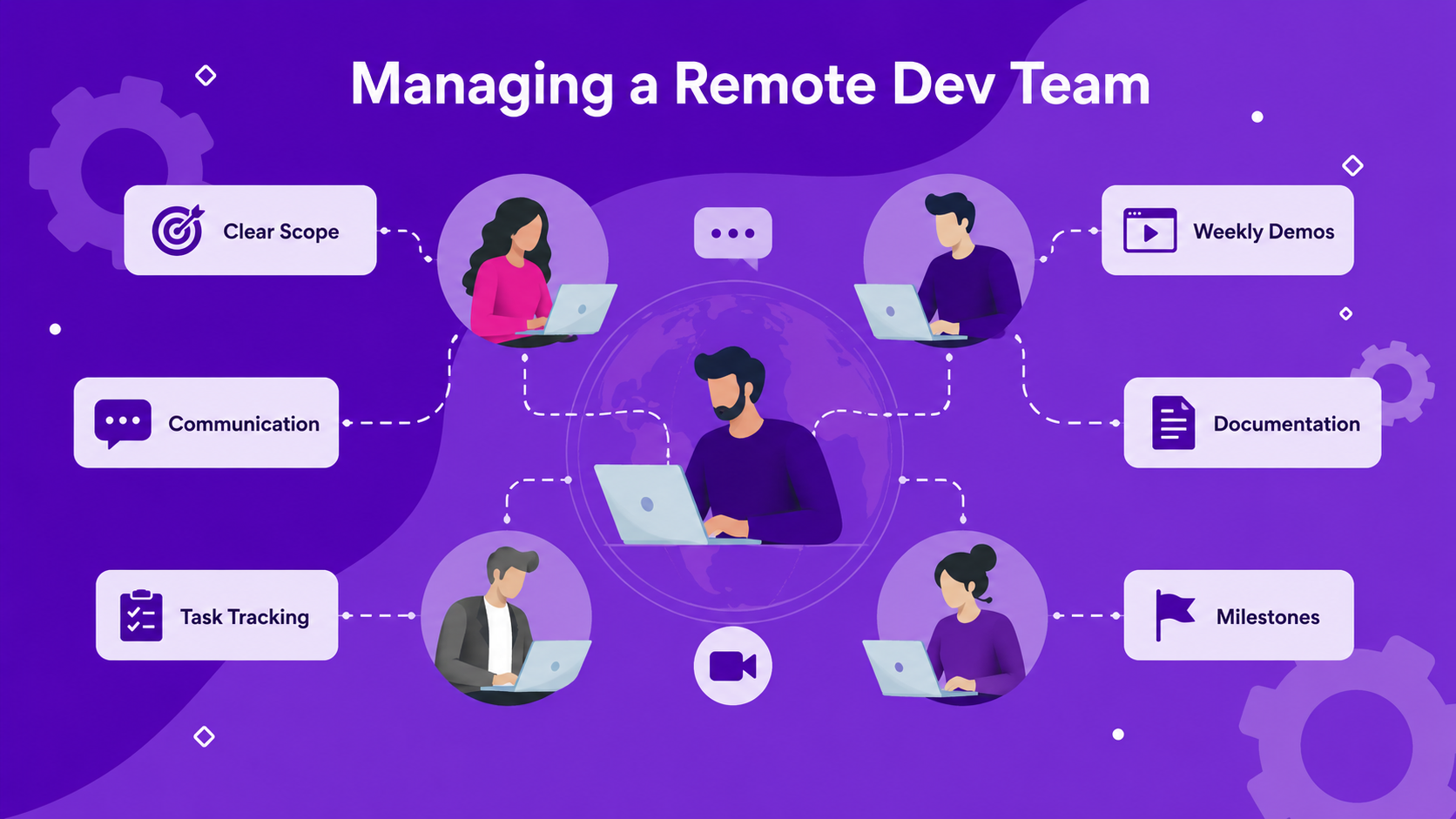
To manage a remote development team well, you need clear scope, a simple communication system, weekly updates, visible tasks, documented decisions, and milestone-based delivery.
For founders and business owners, the goal is not to monitor every hour. Instead, the goal is to create a working process that makes progress easy to see and problems easy to fix.
Why a Remote Development Team Can Fail
A remote development team usually fails because of process problems, not because remote work is impossible.
Many projects become difficult when the client and team do not agree on how communication should work. For example, the client may expect daily updates, while the development team only shares progress at the end of the week.
In other cases, tasks are not clearly assigned. As a result, everyone knows the project goal, but nobody knows exactly who owns each piece of work.
Remote projects can also fail when decisions are not documented. A feature may be discussed in a meeting, but if no one writes down the final decision, the team may build the wrong version.
Common problems include unclear scope, weak communication rhythm, no task board, no weekly demo, weak ownership, missing documentation, unclear approval process, slow feedback, and undefined milestones.
Because of this, a remote development team needs structure. Without structure, even a skilled team can become hard to manage.
Set Up Communication for a Remote Development Team
A strong remote development team needs a clear communication rhythm.
This means everyone should know when updates happen, where questions should be asked, and how urgent issues should be handled.
For example, the team may agree on daily async updates in Slack, a weekly project call, a weekly demo, a shared task board, a written decision log, and a monthly roadmap review for longer projects.
This kind of rhythm helps reduce confusion.
The client does not need to chase the team for every update. Meanwhile, the development team knows when and how to report progress.
A good communication rhythm should answer these questions:
Where do we communicate?
When do we share updates?
Who joins weekly meetings?
How do we handle urgent blockers?
Where do we document decisions?
How quickly should each side respond?
For example, Slack may be used for daily communication, Jira or Trello for task tracking, Google Docs or Notion for documentation, and Google Meet for weekly demos.
However, the exact tools matter less than the habit. The process should be simple enough that the whole team actually uses it.
Manage Timezone Differences Properly
Timezone differences are one of the biggest concerns when hiring a remote development team.
However, timezone gaps are manageable when the team sets expectations early.
The first step is to agree on overlapping working hours. This does not need to be the whole day. Even one or two shared hours can be enough for calls, blockers, reviews, and important decisions.
For example, a client in the US and a team in Vietnam may have a short overlap in the morning or evening. That time can be used for important discussions, while most daily updates can happen asynchronously.
A good timezone setup should include overlap hours, async updates, response expectations, meeting schedule, emergency process, written task requirements, and decision documentation.
Instead of relying on constant live communication, remote teams should work with clear written context.
As a result, the team can keep moving even when the client is offline.
Use Daily or Weekly Reporting
A remote development team needs visible progress.
This does not mean the client needs a long report every day. In fact, short and clear updates are usually better.
A daily update can explain what was completed yesterday, what is planned today, and whether there is any blocker.
A weekly update can summarize completed tasks, in-progress tasks, blocked items, risks, upcoming milestones, demo links, screenshots, and questions for the client.
This gives the client confidence that the project is moving.
In addition, it helps the development team raise problems early. If a blocker appears on Monday, it should not wait until Friday to be discussed.
For smaller projects, weekly reporting may be enough. For active product development, daily async updates can be helpful.
The key is consistency.
Use Sprint Planning
Sprint planning helps remote teams organize work into clear time blocks.
A sprint is usually one or two weeks. During each sprint, the team agrees on what will be built, tested, and reviewed.
Sprint planning is useful because it creates focus.
Instead of working on everything at once, the team chooses the most important tasks for the next cycle.
A simple sprint planning process can include reviewing the product goal, choosing priorities, breaking features into tasks, assigning owners, estimating effort, identifying risks, defining acceptance criteria, and confirming the review date.
For example, if the team is building an MVP, one sprint may focus on user login and dashboard setup. Another sprint may focus on admin management and notifications.
At the end of the sprint, the team should show what was completed.
This keeps the project transparent and easier to manage.
Define Task Ownership Clearly
Remote work becomes messy when ownership is unclear.
Every important task should have one clear owner.
That owner does not need to do everything alone. However, they are responsible for moving the task forward and raising blockers.
For example, the frontend developer may own the user dashboard, while the backend developer owns API and database logic. Meanwhile, the designer owns UI flow updates, the QA tester owns bug reports, the project manager owns timeline coordination, and the tech lead owns architecture decisions.
Clear ownership prevents confusion.
If a task has no owner, it may be forgotten. If too many people own the same task, no one may feel responsible.
A good task should include a title, owner, description, expected output, priority, deadline, acceptance criteria, related files, and current status.
This makes progress easier to track.
Run Weekly Demos
A weekly demo is one of the best ways to manage a remote development team.
A demo is not just a status meeting. It is a chance to show working progress.
For example, the team may show a new login flow, dashboard screen, admin panel, payment flow, or AI automation workflow.
This helps the client see what is actually being built.
Weekly demos also reduce risk. If something is wrong, the client can give feedback early instead of waiting until the end of the project.
A good weekly demo should show what was built, what changed since last week, what is still in progress, what is blocked, what needs client feedback, and what comes next.
If possible, the team should show the real product, not only slides or verbal updates.
This keeps the project grounded in working output.
Create a Clear Feedback Loop
Feedback is a major part of remote team management.
However, feedback needs a clear process.
If feedback is scattered across Slack messages, emails, screenshots, meetings, and voice notes, the team may miss important details.
A better approach is to collect feedback in one place.
For example, the team can use a shared task board, Figma comments, Google Docs, Jira tickets, Trello cards, or Notion pages.
Good feedback should be specific.
Instead of saying “this screen feels wrong,” say:
The call-to-action button should be more visible.
The onboarding step should be shorter.
The admin should be able to filter users by status.
The error message should explain what went wrong.
The payment confirmation needs a success screen.
Clear feedback helps the team act faster.
It also helps avoid repeated discussions.
Use the Right Tools
Remote development teams need tools for communication, task management, documentation, design, development, testing, and delivery.
The tool stack does not need to be complicated. It only needs to support the workflow.
Common tools include Slack or Microsoft Teams for communication, Jira or Trello for task management, Notion or Google Docs for documentation, Figma for design review, GitHub for code, Google Meet for calls, Loom for async video updates, and Google Drive for file storage.
In addition, tools like Sentry or LogRocket can help with error tracking after launch.
The best tools are the ones the team actually uses consistently.
A simple tool stack used well is better than a complex tool stack that no one maintains.
Document Important Decisions
Documentation is critical for remote development.
When teams work across timezones, not everyone can join every meeting. Because of this, written documentation keeps everyone aligned.
Documentation should cover product scope, user flows, feature requirements, technical decisions, API notes, design links, meeting notes, change requests, sprint goals, acceptance criteria, known issues, and launch checklists.
For example, if the client decides to move payment integration to phase 2, that decision should be written down. Otherwise, someone may continue planning or building the wrong feature.
Good documentation saves time because the team does not need to repeat the same explanations.
It also helps new team members understand the project faster.
Role of the Project Manager
A project manager plays an important role in a remote development team.
This role helps keep communication, timeline, tasks, and expectations organized.
It is especially useful when the client is non-technical or does not have time to manage daily details.
A project manager may handle sprint planning, task tracking, client updates, meeting notes, timeline management, risk tracking, feedback collection, delivery coordination, and blocker escalation.
A good project manager does not only ask for updates. They help the team move smoothly.
They also make sure the client understands what is happening and what decisions are needed.
Role of the Tech Lead
The tech lead is responsible for technical direction.
In a remote development team, this role helps prevent technical confusion and poor architecture decisions.
A tech lead may review product requirements, choose the technical approach, guide developers, review code quality, and explain technical trade-offs to the client.
For example, if the client wants a feature that could be built in three different ways, the tech lead can explain the pros and cons.
This helps the client make better decisions.
The tech lead is especially important for products with custom backend systems, AI automation, third-party integrations, data processing, or long-term scalability needs.
Remote Development Team Checklist
Use this checklist before and during the project.
| Area | What to Set Up |
|---|---|
| Scope | Define what version one includes |
| Communication | Agree on channels and response time |
| Timezone | Set overlap hours and meeting schedule |
| Task management | Use one shared task board |
| Ownership | Assign one owner for each task |
| Reporting | Use daily or weekly updates |
| Sprint planning | Plan work in one or two-week cycles |
| Demo | Review working progress every week |
| Feedback | Collect feedback in one place |
| Documentation | Write down decisions and requirements |
| Testing | Define how bugs and fixes are handled |
| Delivery | Use milestones and launch checklist |
This checklist helps keep remote work clear and manageable.
Common Mistakes to Avoid
One common mistake is managing a remote team only through meetings.
Meetings are useful, but they are not enough. The team still needs written tasks, clear ownership, and documentation.
Another mistake is giving unclear feedback. If the client only says “make it better,” the team may not know what to change.
In addition, some projects fail because the client waits too long to review work. Fast feedback helps the team avoid building the wrong thing for too long.
A fourth mistake is not defining acceptance criteria. Without a clear definition of done, the team and client may disagree about whether a feature is complete.
Finally, avoid changing priorities too often without updating the roadmap. Remote teams can adapt, but they need clear direction.
How Golden Sea Works With a Remote Development Team
Golden Sea works with remote clients through clear scope, weekly updates, and milestone-based delivery.
The process usually starts by defining the project goal, must-have features, timeline, team structure, and communication rhythm.
After that, the team sets up a project board, defines task ownership, and plans the first sprint.
During the project, Golden Sea can provide weekly updates, demos, feedback loops, documentation, and milestone reviews.
This helps remote clients stay informed without needing to micromanage every detail.
For software, AI automation, app development, web development, and game production projects, this process helps keep delivery more transparent.
Golden Sea works with remote clients through clear scope, weekly updates, and milestone-based delivery.
FAQ
How do I manage a remote development team?
Managing a remote development team requires clear scope, communication rhythm, task ownership, project tracking, weekly demos, documentation, and regular feedback.
How often should a remote development team send updates?
Most teams should send either daily async updates or weekly progress reports. For active projects, weekly demos are also useful because they show real working progress.
What tools should I use to manage remote developers?
Common tools include Slack, Jira, Trello, Asana, ClickUp, Notion, Google Docs, Figma, GitHub, Google Meet, and Loom. The best tool stack depends on how your team works.
How do you handle timezone differences with remote developers?
You can handle timezone differences by setting overlap hours, using async updates, documenting decisions, and scheduling regular review meetings.
Why do remote development projects fail?
Remote projects often fail because of unclear scope, weak communication, poor task ownership, slow feedback, missing documentation, or no regular demo rhythm.
Should I hire a project manager for a remote development team?
A project manager is useful when the project has multiple people, changing priorities, or a non-technical client. This role helps manage communication, timeline, tasks, and delivery.
Final Thoughts
A remote development team can work successfully when the process is clear.
Timezone differences, remote communication, and progress tracking are manageable when the team has a strong working rhythm.
The key is to set clear scope, use the right tools, assign task ownership, document decisions, review progress weekly, and keep feedback organized.
For founders and business owners, the goal is not to micromanage every task. Instead, the goal is to create a process where progress is visible and problems are solved early.
Golden Sea works with remote clients through clear scope, weekly updates, and milestone-based delivery.
Contact Golden Sea Studios:
Website: goldenseastudios.com
Email: info@goldenseastudios.com
Social Media: @goldenseastudios (Twitter, Instagram, Facebook)
Telegram: @goldenseastudio
We are available online to assist you with any inquiries or collaborations. Reach out to us through these channels and let’s connect!
