
Fragmented data leaves enterprise AI "blind" because the system cannot tell which source is correct, which records belong to the same customer, and which information is still valid. An AI model can sound remarkably convincing, but it cannot fix an outdated price list, a CRM with missing statuses, or a customer file sitting on someone's personal laptop.
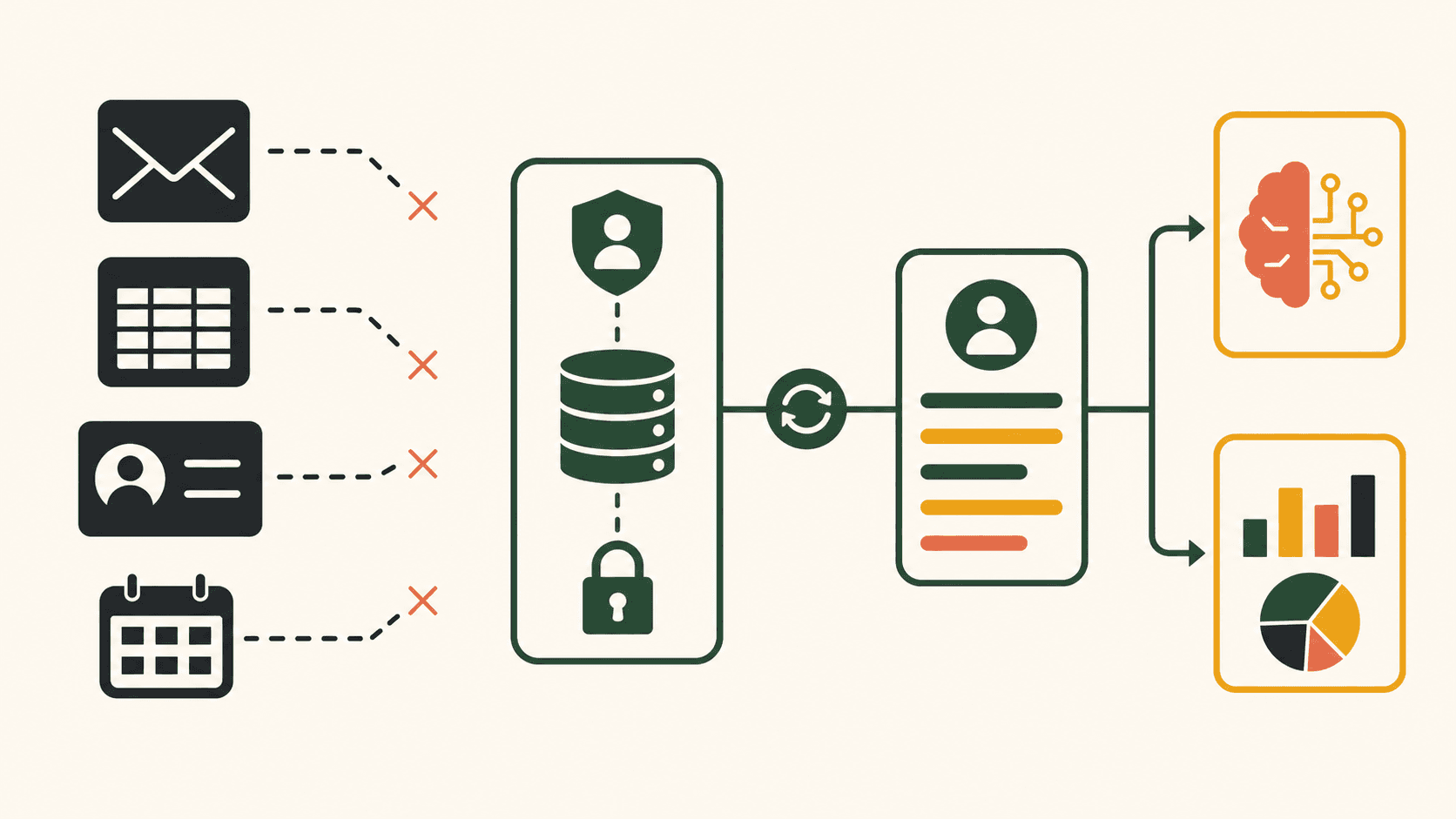
SMEs rarely lack data. It lives in fanpages, Zalo, email, forms, spreadsheets, sales software, calendars and notes. The problem is that these fragments share no common definitions, are not synced at the right time, and have no one accountable for them. Before building sophisticated AI Agents, a business needs a data layer that is simply good enough.
Five signs your data is holding AI back
1. The same question has multiple answers
The price list in Drive differs from the one sent to customers. The policy on the website is out of date. Veteran employees know the exceptions but never write them down. When an Agent retrieves information, it may pick any of these versions. This is not a simple "hallucination" problem — it is a source-of-truth problem.
2. You can't identify one customer across channels
A customer messages on Facebook under a nickname, fills in a form with their email, and buys with their phone number. Without controlled identity matching, AI treats them as three different people. The result: duplicate follow-ups, inaccurate reports, and interactions stripped of context.
3. Statuses never get updated
A lead has already purchased, but the spreadsheet still says "in consultation." A meeting was cancelled, but the workflow keeps sending reminders. AI acting on stale statuses produces errors that look "smart" yet are deeply frustrating for customers.
4. Nobody owns the data
Everyone uses the data, but no one is responsible for defining, updating, or fixing it. When an error surfaces, the team patches that one record; the root cause keeps generating new errors.
5. Outputs can't be traced back
A report shows a number with no link to the underlying records. An AI answer doesn't say which document it used. Without lineage, the business can neither audit nor trust the system.
You don't need a big data warehouse to start
A good-enough data layer is not a multi-year enterprise data project. For a single workflow, identify the necessary sources, the minimum fields, the sync rules and the owner. One clean data table with an API and clear statuses is worth more than a massive warehouse nobody manages.
The initial goal is a "single source of truth per use case." For AI customer support, the policy repository and appointment data must be reliable. For a content engine, product context, brand voice and research sources must be reliable. You don't need to unify everything at once.
The six layers of an AI-ready data foundation
1. Sources
List where data is created and where it is used. Flag official systems, temporary files, external sources and sensitive data. Cut any connection the use case doesn't need.
2. Definitions
Agree on what "new lead," "contacted," "qualified," "returning customer" and "closed" actually mean. If marketing and sales use the same word with two meanings, dashboards and Agents will contradict each other.
3. Identity and keys
Define keys such as customer ID, email or phone number, along with record-matching rules. Never merge records just because the names look alike. Route uncertain cases to a review queue.
4. Sync
Specify which system is the primary writer, which receives copies, how often syncing runs and how conflicts are resolved. Two-way sync is convenient but raises the risk of loops; in many cases a clear one-way flow is all you need.
5. Permissions and privacy
An Agent should only access the data its task requires. Separate read and write permissions, general and sensitive data, staging and production environments. Logs must record who — or which Agent — accessed and changed what.
6. Observability and accountability
Monitor sync failures, latency, missing records and expired sources. Assign someone to act on them. A dashboard flashing red with no owner is just one more screen.
A practical architecture for SMEs
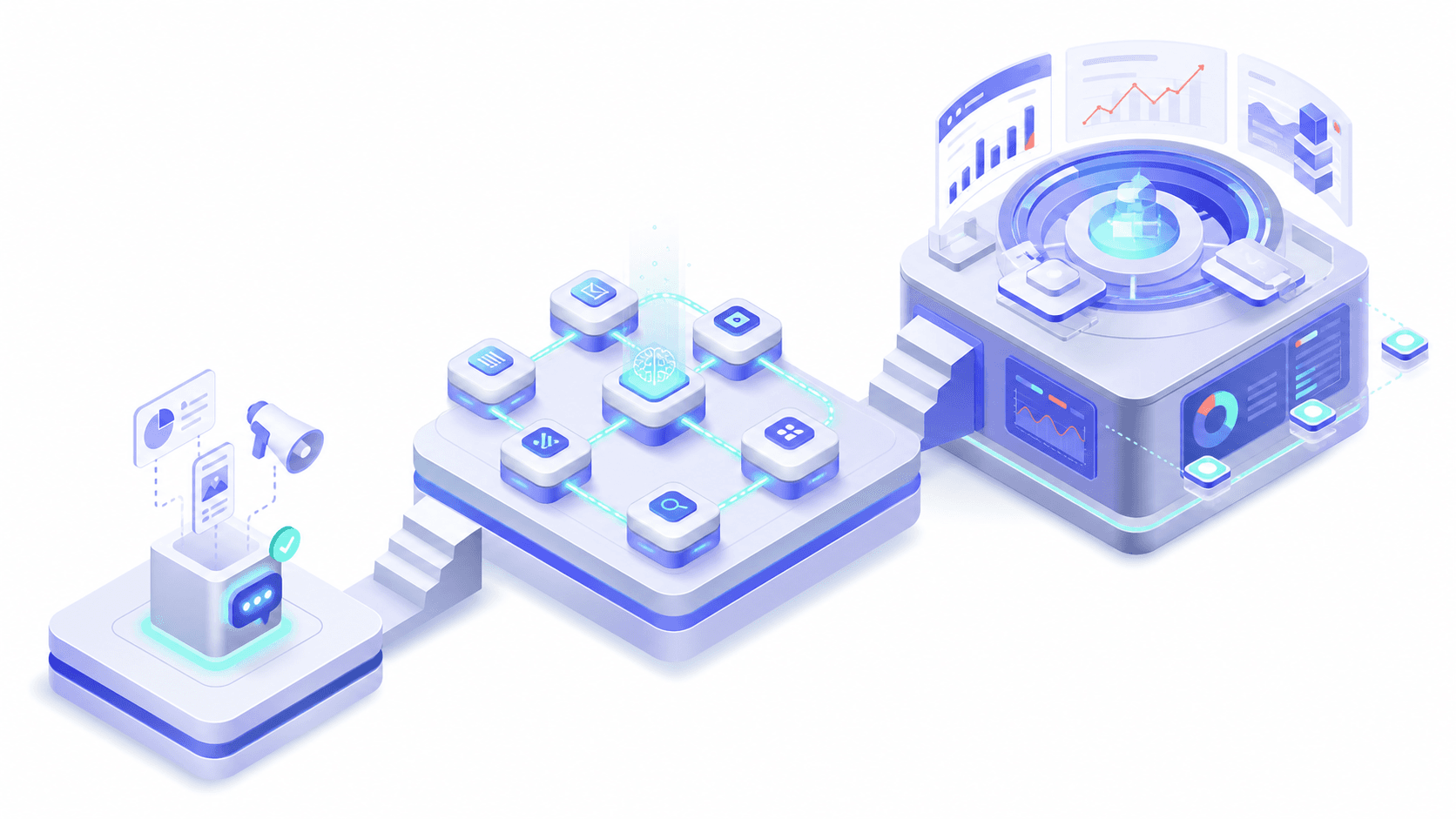
A lean architecture might include sources such as inboxes, forms and POS; an integration layer; a CRM or primary data table; a versioned document repository; Agents that only retrieve what they are authorized to; workflows that execute actions; and dashboards that read from normalized data.
Agents should not connect directly to every system with full write access. Use narrowly scoped tools: look up a customer, create a task, propose an update. Sensitive actions go through approval steps or services with rule checks.
A use-case-driven cleanup process
- Pick one workflow that needs data.
- List the 10–20 fields it truly requires.
- Choose the primary source for each field.
- Measure missing, duplicate and conflicting rates.
- Set normalization and error-handling rules.
- Assign an owner and an update SLA.
- Test the sync on a copy of the data.
- Validate with edge cases.
- Only then let the Agent use it in shadow mode.
Example: from inbox to CRM
When a new conversation arrives, the system captures the channel ID, display name and message content. The Agent classifies intent but never merges customers without a trustworthy key. The chatbot asks for a phone number when needed; the workflow finds the record, creates a new one, or routes suspected duplicates to a staff member.
Every update carries a source, timestamp and confidence score. If a customer says they changed their number, the system doesn't delete the old one immediately — it creates a verification request. This adds one step but protects the original data.
Example: a knowledge base for AI customer support
Each document has a title, scope, effective date, owner and status. The Agent only uses approved versions. When two passages conflict, the system doesn't pick one on its own — it escalates to a human and alerts the owner.
Questions without a source are logged to a backlog. That way, real conversations keep improving the knowledge base instead of employees answering privately and the knowledge vanishing.
Data quality metrics
- Completeness: share of required fields that are populated.
- Accuracy: share of sampled records matching the real source.
- Freshness: lag between a change and its update.
- Uniqueness: share of records with no duplicates.
- Consistency: shared definitions across systems.
- Traceability: share of outputs traceable back to a source.
Set thresholds per use case. Missing emails may be acceptable for an aggregate report but not for a workflow that sends emails. Data quality is never one company-wide number.
What not to do
Don't dump everything into a vector database and expect AI to figure it out. Don't grant Agents broad write access to "skip the integration work." Don't use personal files as production sources. Don't keep data forever just because it might be useful. And don't buy a big platform before you know which fields your workflow needs.
Benefits beyond AI
When sources and statuses are clear, employees find information faster, reports become consistent, and customers repeat themselves less. Even if the AI project pauses, the data standardization work keeps paying off. That is the mark of a sound foundational investment.
Conclusion
AI does not turn bad data into good decisions. It only accelerates how fast data gets used. That is why sources of truth, definitions, permissions and accountability must come before autonomy.
Start with the data for one workflow, not the whole company. Then connect it to one of the five processes SMEs should automate first and measure errors before scaling.
Read next: What data must be clean before you let AI handle customer service email? · Knowledge Base for Chatbots: Which Documents Should You Clean Up First?