
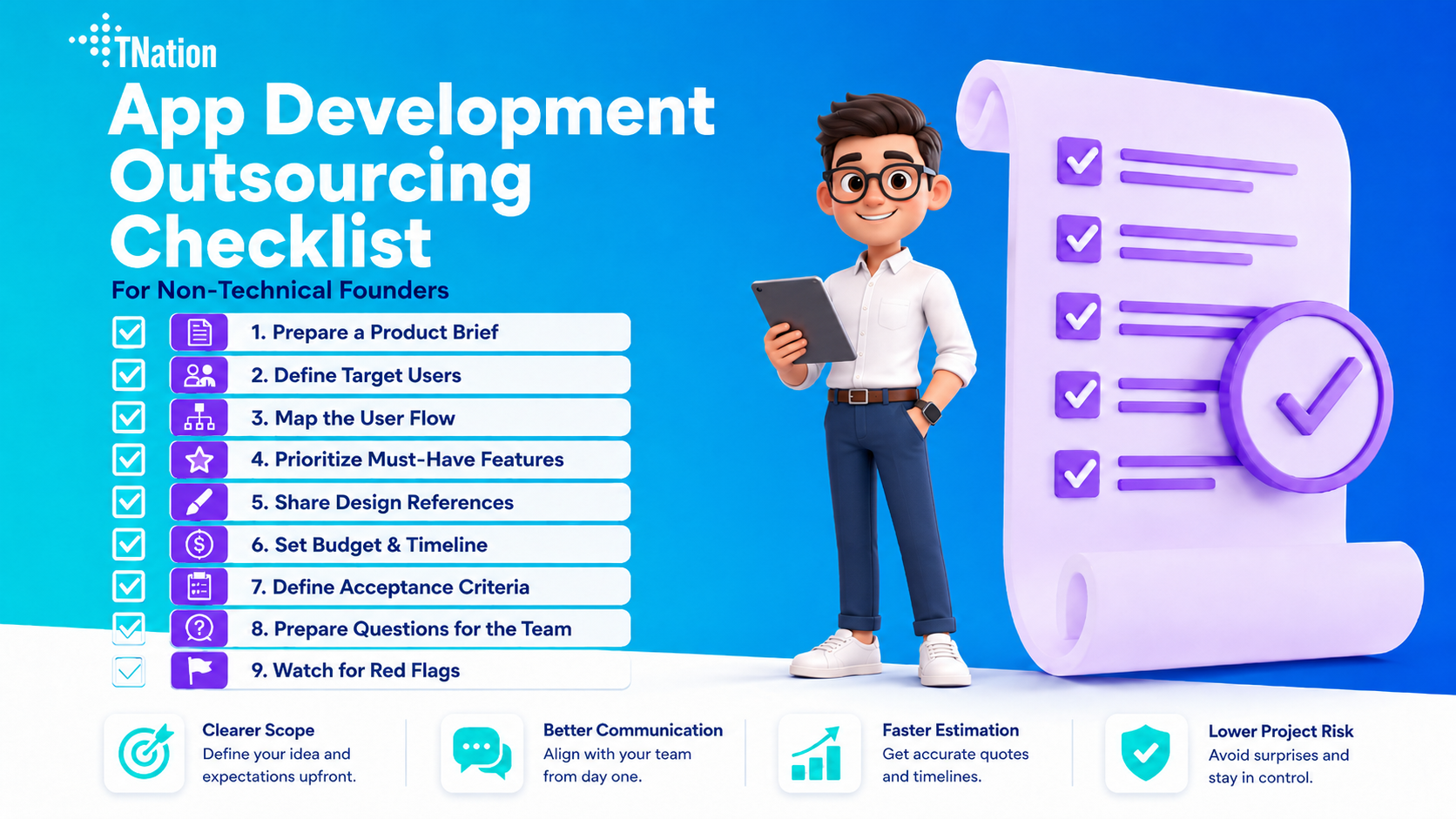
App Development Outsourcing Checklist for Non-Technical Founders
An app development outsourcing checklist helps non-technical founders prepare before working with a development team.
You do not need to know how to code to build an app. However, you do need a clear product brief, user flow, feature priorities, budget range, timeline, and acceptance criteria.
This app development outsourcing checklist will help you explain your idea clearly, avoid scope confusion, and work better with an outsourcing team. As a result, the team can estimate your project more accurately and suggest a practical development plan.
Why Non-Technical Founders Need an App Development Outsourcing Checklist
Many non-technical founders feel nervous before working with a development team.
That is understandable. If you do not know how software is built, it can be hard to judge whether the estimate is fair, whether the timeline makes sense, or whether the team is giving good advice.
Because of this, preparation matters.
A clear checklist helps you enter the conversation with more confidence. It also helps the development team understand your product faster.
Instead of starting with a vague idea, you can explain the problem, target users, must-have features, and expected outcome.
What Should a Founder Prepare Before Outsourcing App Development?
A founder should prepare the product idea, target users, main problem, user flow, feature list, priorities, design references, budget range, timeline expectation, and acceptance criteria.
You do not need to prepare a perfect technical document. Instead, you need enough clarity for the outsourcing team to understand what you want to build and why it matters.
For example, saying “I want to build an app like Airbnb” is too broad.
A better brief would explain the target market, user types, booking flow, payment needs, admin panel, and what features must be included in version one.
The clearer your brief is, the easier it becomes to estimate cost, timeline, and team structure.
1. Prepare a Simple Product Brief
A product brief is a short document that explains your app idea.
It does not need to be long. In fact, a clear one-page brief is often better than a confusing 20-page document.
Your product brief should explain what the app does, who it is for, what problem it solves, why users would choose it, and what result you want from the first version.
For example, if you want to build a booking app, the brief should explain who books, what they book, how the provider receives the request, and what happens after the booking.
This helps the outsourcing team understand the product logic before discussing features.
2. Define the Target Users
Every app needs clear users.
Before development starts, define who will use the product. For example, your app may serve customers, vendors, admins, service providers, students, teachers, managers, or internal employees.
Each user type may need a different experience.
A customer may need to browse and book. Meanwhile, a service provider may need to manage requests. In addition, an admin may need to approve users, manage data, and track activity.
If you do not define user types early, the app can become confusing.
A simple format can help:
User type 1: Customer
User type 2: Service provider
User type 3: Admin
After that, write what each user needs to do.
3. Map the User Flow
A user flow explains the steps a user takes inside the app.
You do not need to design every screen. However, you should explain the main journey.
For example, a simple booking app flow may work like this:
First, the user signs up.
Next, the user searches for a service.
After that, the user views service details and sends a booking request.
Then, the provider accepts or rejects the request.
Finally, the admin can view and manage all bookings.
This simple flow tells the development team how the app should work.
User flow is important because features are easier to estimate when the steps are clear.
4. Prioritize Features
Feature priority is one of the most important parts of any app development outsourcing checklist.
Many founders want too many features in the first version. However, a large first version usually costs more, takes longer, and becomes harder to test.
A better approach is to divide features into three groups:
Must-have
Nice-to-have
Phase 2
Must-have features are required for the first version to work.
Nice-to-have features improve the experience but are not required for launch.
Phase 2 features should wait until after real user feedback.
For example, a marketplace MVP may need user sign-up, listings, search, booking requests, and admin management.
However, advanced chat, loyalty points, reviews, AI recommendations, and referral systems can often wait.
This keeps the first version focused.
5. Share Design References
Non-technical founders do not need to create professional UI designs before contacting a team.
However, sharing design references can help a lot.
You can collect examples from apps or websites that feel close to what you want. These references help the team understand your taste, layout preference, and expected quality level.
Useful references may include apps with similar user flows, websites with similar style, dashboard examples, landing page references, mobile app screenshots, competitor products, or UI components you like.
In addition, explain what you like about each reference.
Instead of saying “I like this app,” say, “I like how simple the booking flow is” or “I like how the dashboard shows key data clearly.”
This makes the design direction easier to understand.
6. Set a Budget Range
You do not always need to know the exact budget before speaking with an outsourcing team.
However, sharing a budget range helps the team suggest a realistic scope.
Without a budget range, the team may propose a version that is too large or too small.
For example, if your budget is limited, the team can help reduce the first version to the most important features. If your budget is larger, the team may suggest a more complete MVP with stronger design, backend, integrations, and testing.
Budget affects feature scope, platform choice, design depth, backend complexity, team size, timeline, integrations, AI features, testing level, and post-launch support.
A transparent budget discussion saves time for both sides.
7. Define Timeline Expectations
Timeline is another important part of the checklist.
A founder should explain when they want to launch and whether there is a hard deadline.
For example, you may need to launch before a demo day, investor meeting, marketing campaign, or pilot customer test.
However, timeline should match scope.
A simple MVP may be possible in 6–8 weeks. A more complex app may take several months, especially if it includes custom backend logic, multiple user roles, payments, AI features, or mobile apps.
If you need to launch quickly, the team may suggest a smaller first version.
That is not a bad thing. A focused version can help you test the market faster and avoid overbuilding.
8. Define Acceptance Criteria
Acceptance criteria explain how you will decide whether a feature is complete.
This is very useful for non-technical founders because it makes review easier.
For example, instead of saying “the login feature should work,” write:
Users can create an account with email and password.
Users can log in after registration.
Users see an error message if the password is wrong.
Users can log out.
Admin can see registered users.
This gives the development team a clear definition of done.
Acceptance criteria help reduce confusion, revisions, and misunderstandings. They also make testing easier.
For every important feature, try to explain what should happen from the user’s point of view.
9. Prepare Questions for the Outsourcing Team
A good outsourcing conversation should not be one-sided.
Founders should ask questions before choosing a team.
Useful questions include:
Have you built similar apps before?
What would you include in version one?
Which features should wait until later?
What team structure do you recommend?
How do you estimate cost and timeline?
How do you manage communication?
What tools will we use for project tracking?
How often will I receive updates?
Who owns the source code?
How do you handle changes in scope?
What happens after launch?
These questions help you understand how the team works.
A transparent team should be able to explain the process clearly without hiding behind technical language.
10. Watch for Red Flags
Not every outsourcing team is a good fit.
Non-technical founders should watch for red flags before signing a project.
Be careful if a team promises an exact price without understanding the scope. You should also be careful if they avoid explaining the process, push too many features too early, or use too much technical jargon without clarification.
In addition, a weak team may ignore user goals, avoid testing discussions, or say yes to everything without explaining trade-offs.
A good team should help you make better product decisions.
They should not only take orders or push unnecessary complexity.
App Development Outsourcing Checklist
Use this app development outsourcing checklist before contacting a development team.
| Checklist Item | What to Prepare |
|---|---|
| Product idea | Explain what the app does and why it matters |
| Target users | Define who will use the app |
| User flow | Map the main steps users take |
| Must-have features | List what version one needs |
| Nice-to-have features | Separate what can wait |
| Design references | Share apps or websites you like |
| Budget range | Give a realistic range if possible |
| Timeline | Explain your launch target |
| Acceptance criteria | Define how features should work |
| Questions for team | Prepare what you want to ask |
| Red flags | Know what warning signs to watch for |
This checklist helps turn a rough idea into a clearer product scope.
Example: Turning a Rough Idea Into a Clear Scope
Imagine a founder says:
“I want to build an app for booking local services.”
That is a rough idea.
A clearer scope would explain that the app helps users find and request local home services.
The first version may serve customers, service providers, and admins.
Customers can sign up, browse services, view provider profiles, and send booking requests.
Service providers can receive requests and accept or reject them.
Admins can manage users, services, and bookings.
Meanwhile, payments, reviews, chat, and loyalty points can move to phase 2.
This version is much easier for an outsourcing team to estimate because it explains the users, the core flow, and what should wait.
Fixed Scope vs Dedicated Team
Non-technical founders should also understand the difference between fixed scope and dedicated team models.
| Model | Best For | How It Works |
|---|---|---|
| Fixed scope | Clear MVP or app with defined features | The team estimates based on agreed deliverables |
| Dedicated team | Ongoing product development | You work with assigned team members over time |
A fixed scope model works well when you know what version one should include.
However, a dedicated team may work better if the product will change often or continue growing after launch.
For many founders, the best approach is to start with a clear MVP scope first. After launch, the team can move into ongoing development if needed.
How Golden Sea Can Help
Golden Sea can help turn your rough idea into a clear product scope.
The process usually starts by understanding your app idea, target users, core flow, budget range, timeline, and must-have features.
After that, Golden Sea can help separate version one from phase 2, suggest a practical team structure, and prepare the project for design and development.
This may include app and web development, UX/UI design, backend systems, admin dashboards, AI automation features, or dedicated remote team support.
The goal is to make outsourcing easier for non-technical founders.
If you need help preparing your app development outsourcing checklist, Golden Sea can help turn your rough idea into a clear product scope.
FAQ
How long does it take to build an MVP?
An MVP can often take 6–12 weeks, depending on scope, platform, design, backend logic, integrations, and team size.
How much does MVP development cost?
MVP development cost depends on complexity. A simple app costs less than a product with custom backend, payments, AI features, or multiple user roles.
Should I build a web app or mobile app first?
Many founders should start with a web app because it is usually faster and easier to launch. However, a mobile app may be better if the product depends on mobile-first behavior.
Can I start with only a rough idea?
Yes. You can start with a rough idea, but the team should clarify your target users, core problem, user flow, must-have features, and launch goal before estimating development.
What should I prepare before contacting a development team?
You should prepare a short brief with your product idea, target users, core user flow, feature priorities, design references, timeline, budget range, and acceptance criteria.
How do I know if an outsourcing team is reliable?
A reliable team explains its process clearly, asks about your users and business goals, gives realistic trade-offs, discusses testing, and helps you avoid unnecessary scope.
Final Thoughts
App development outsourcing can work well for non-technical founders when the project starts with clarity.
You do not need to know how to code. However, you should understand the product problem, target users, main user flow, feature priorities, budget range, timeline, and acceptance criteria.
A good outsourcing team should help you make better product decisions, not confuse you with technical language.
The more clearly you prepare, the easier it becomes to estimate, build, review, and launch the product.
Golden Sea can help turn your rough idea into a clear product scope.
Contact Golden Sea Studios:
Website: goldenseastudios.com
Email: info@goldenseastudios.com
Social Media: @goldenseastudios (Twitter, Instagram, Facebook)
Telegram: @goldenseastudio
We are available online to assist you with any inquiries or collaborations. Reach out to us through these channels and let’s connect!
