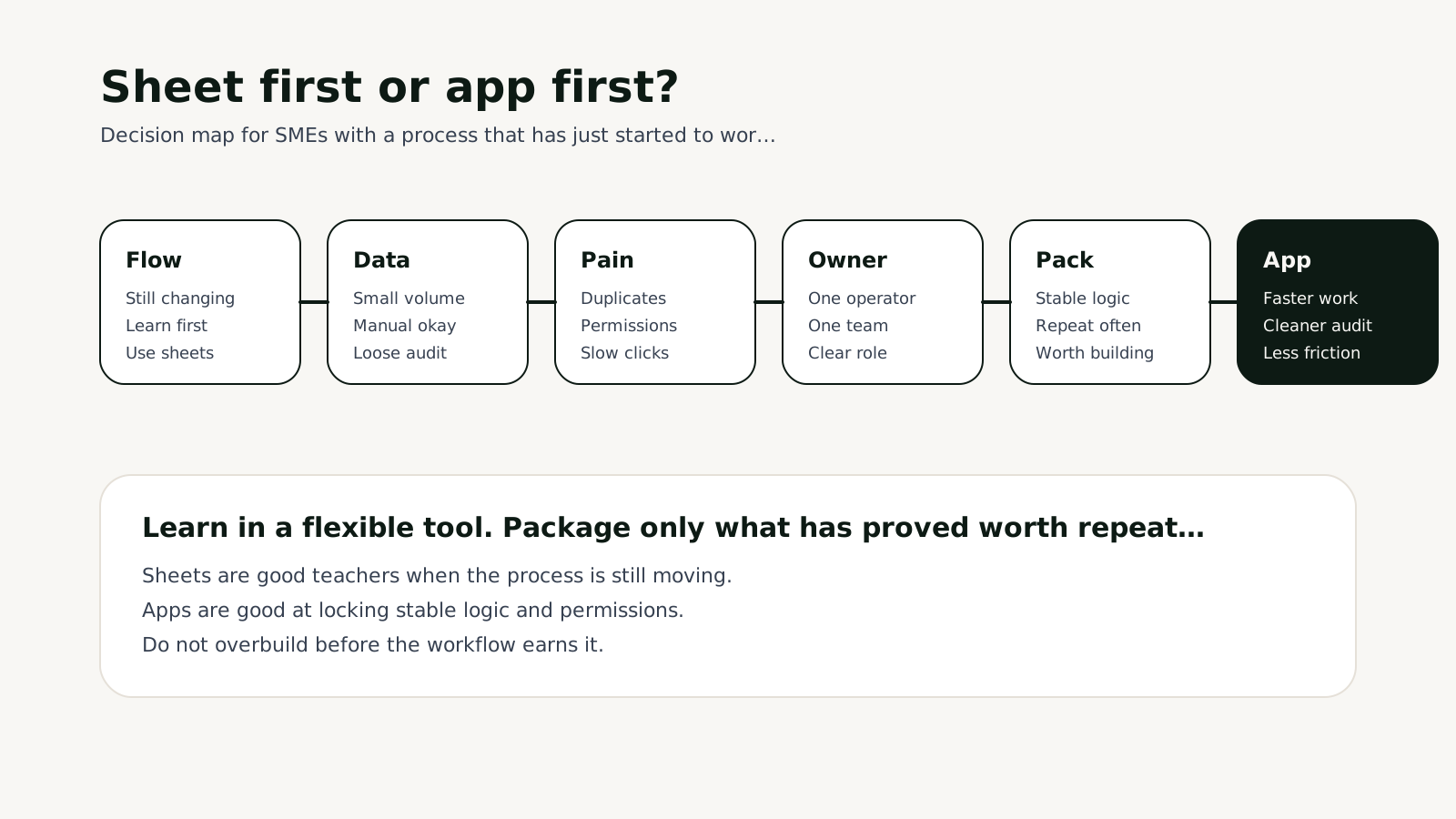

Short answer: If the process still changes every week and the owner is still learning what to measure, Google Sheets plus automation is often the better starting point. But once the process has stable volume and starts hurting through permissions, duplicate data, audit issues, or operator speed, a small internal app becomes worth it because it hardens the logic and removes operating friction.
Why this topic matters on Thursday, August 6, 2026
This week's market signal still favors lean teams creating more output with fewer people. Salesforce's August 5, 2026 small-business revenue-hub article makes it clear that AI and workflow automation are moving deep into internal operations, not just customer-facing sales.
At the same time, community discussions continue to surface familiar failure modes: ownership gaps, duplicate records, and weak handoff. That is why businesses often stay on Google Sheets too long and then realize they are debugging workflow glue more than running the business.
For Golden Sea, this is the exact intersection between App Development and AI Operations: an app is not automatically better, but neither is stretching Sheets into a pseudo-product once the process is stable enough to formalize.
Golden Sea decision framework
| Signal | Sheets + automation | Small internal app |
|---|---|---|
| Process shape | Still changing often | Relatively stable now |
| Data volume | Small enough to inspect manually | Growing fast with duplicates and friction |
| Permissions | Few users | Multiple roles need cleaner access control |
| Audit needs | Loose logs are acceptable | Traceability by case or by user becomes necessary |
| Operator speed | Manual work is still manageable | Manual steps now slow down SLA |
What to lock before implementation
- Map the 5 core steps before discussing tools.
- Name the current source of truth: sheet, CRM, form, or email.
- Measure for at least 2 weeks to learn whether pain comes from volume, permissions, or quality.
- If you build an app, package only the stable flow first instead of the entire business.
- If you stay with Sheets, standardize key columns, status, and owner first.
Where teams usually buy the wrong thing
- Building an app too early while the process still changes weekly.
- Staying on Sheets too long because investment feels easier to postpone.
- Lacking a real process owner no matter which tool is chosen.
- Pushing AI in before data and manual logic are aligned.
- Treating the app as a tech project instead of an operating-friction reducer.
A practical 30-day rollout
| Week | Action | Output |
|---|---|---|
| Week 1 | Audit the current process and pain points | Process map + owner |
| Week 2 | Normalize fields and statuses in the current data layer | Stable fields + statuses |
| Week 3 | Decide what to automate and what to package into product logic | Small build scope |
| Week 4 | Ship a lightweight app or stronger automation, then review SLA | Working internal tool |
A simple real-world diagnosis test
In practice, this kind of problem rarely shows up as a dramatic outage. It usually appears as rising hidden cost: leads that stop halfway, operators doing more manual work than they should, or the same workaround returning every week. For a topic like build app noi bo hay dung google sheet automation, the right question is not whether one screen looks better. The right question is whether the underlying workflow becomes easier to run and easier to improve.
A useful diagnosis is to ask four questions. First, if volume doubled next week, where would the process break first? Second, who owns the outcome rather than merely touching the tool? Third, if a lead or booking disappears, can the team identify the exact step where it was lost? Fourth, which part of the current setup is still temporary but already being treated like long-term infrastructure? Those answers usually clarify the right buy-versus-build direction quickly.
What should be measured after 14 days?
After two weeks, the goal is not a vague feeling that things look smoother. A business should review at least three operating signals. First is speed: response time, handling time, or the time from visit to the primary action. Second is quality: error rate, customer re-question rate, or how often the team must manually override the system. Third is continuity: whether the process still works when the main owner is away for a day.
When speed, quality, and continuity improve together, the decision is probably working. If speed improves while rework climbs, that is not real efficiency. If the page looks better but lead signal does not improve, that is surface change only. For SEO and GEO-oriented topics, teams should also check whether titles, FAQ, CTA, and internal-link paths now make the page easier for both people and AI systems to understand.
What breaks when teams choose the fastest-looking option
The risk of Sheets plus automation is scaling chaos before scaling the right logic. If owner and definition-of-done are weak, automation spreads mistakes faster.
The risk of the internal app is overbuilding. When a narrow pain is turned into a large system too early, the app loses learning speed and becomes backlog weight.
Golden Sea point of view
Golden Sea usually recommends a practical path: learn in Sheets first, then build a small app once the stable part is clear enough to lock.
The real decision is not which technology sounds better. It is whether the process is mature enough to package.
FAQ
Read next: App & Web Development service · Minimum architecture for automated lead classification · AI inside CRM or outside with workflows